
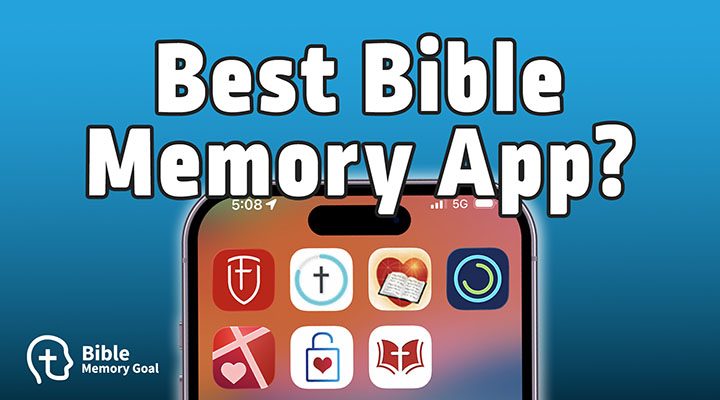
What are the best Bible memory apps that you can use on your computer or mobile device to help you track and review the Scripture you’re working to memorize? There are a number of options that are available and although they look similar, they offer unique differences that are worth understanding.
In this article, we’re going to compare the best apps for memorizing Scripture including their features, pricing and target user.
Summary: Which App is Right for You?
If you’re short on time and you just want to understand the best Bible app for your situation, you can use the summaries and table below for a quick overview. Click on the links to get a deeper explanation of each mobile app and see screenshots.
- Bible Memory App: Best suited for those memorizing extended passages (not just individual verses) in English.
- RememberMe App: Best suited for auditory learners and those who memorize in different languages or who memorize uncommon translations of the Bible.
- MemLok App: Best for visual learners who want to memorize individual Bible verses and want help knowing what to memorize next.
- VerseLocker App: Good app for those who are memorizing individual verses and like using printed materials like flash cards.
- Fighter Verses App: Best for those who are going through the Fighter set of memory verses or who want a solid devotional to go with each verse.
- Versify App: Best for those who want help choosing verses and who want a simple, well-designed app to review.
- Verses App: Similar to Versify, the Verses app is helpful for those who prefer simplicity and are motivated by streaks.
It’s hard to do an apples-to-apples comparison, but the following table and video should help you get a better understanding of how each of these apps to memorize Bible verses is set up.
|
Pricing |
Languages |
Translations |
Key Feature |
|
| Bible Memory | Free or $10/yr | English/Spanish | 11 | Great spaced repetition |
| RememberMe | Free | 40+ languages | 300+ | Best language & translation support |
| MemLok | Free or $30 | English only | 6 | Best for visual learners |
| Fighter | Free w/ paid upgrades | English only | 11 | Excellent devotionals |
| VerseLocker | Free | 9 languages | 30 | Printable PDFs and flash cards |
| Versify | Free | English | 8 | Great design |
| Verses | Free or $5/$10 yr | English | 9 | Streak tracking |
With this general overview, let’s now dive into each of these apps for memorizing Scripture to see their strengths and weaknesses.
Best Bible Memory Apps 2026
Although there are numerous memory apps that can be used to memorize anything, we’re going to focus on apps that are specifically designed for the memorization of Bible verses.
The reviews below are based on my personal experience testing each app, but I realize that I can make mistakes! I’m going to do my best to make sure that the information provided is accurate and up-to-date, but if you find an error, please contact me to let me know so that we can correct it!
The Bible Memory App

4.8/5 on Apple’s App Store (30k+ reviews)


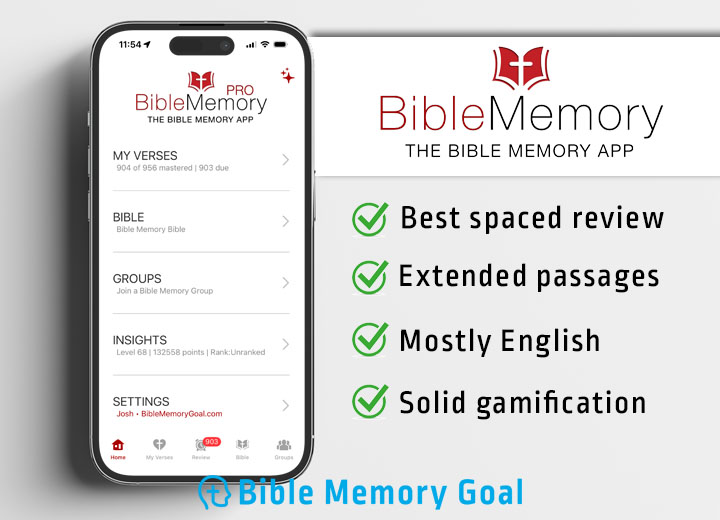
The Bible Memory app, formerly known as Scripture Typer, is an incredibly useful app for creating a regular Bible memory routine and is used by millions of people around the world. Indeed, most people I come into contact with who have memorized scripture have used the Bible Memory app as one of their tools.
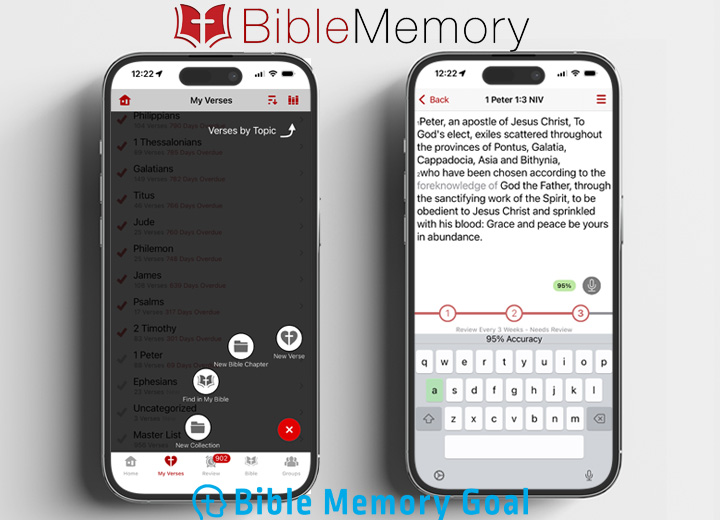
It truly shines when it comes to organizing extended passages of scripture and utilizing an excellent spaced repetition review system. Users can import entire chapters or books of the Bible, or organize verses into topical collections.
If you are motivated by gamification, you will love the app’s insights, points, levels, and badges. It also features a robust community aspect where you can join groups and compete on leaderboards. While the app offers a lot for free, you will need to upgrade to Bible Memory Pro if you want access to a wider variety of Bible translations beyond their free offerings.
Key Bible Memory App Features

Translations
Amplified, CSB, ESV, HCSB, KJV, LSB, NASB, NASB20, NIV, NIV84, NKJV, NLT, Mesage, Reina-Valera

Community
Join a Bible memory group or compete on the leaderboard.

First-Letter Review
Review your verses by typing in the first letter or speaking.

Pricing
Free version or $9.99/year; lifetime plans available.
If you’re the type of person who memorizes extended passages of Scripture (entire chapters or books of the Bible) in English, this is going to be your best option among these best Bible memory apps.

Try Bible Memory App
Use the promo code “MEMORYGOAL” for a special discount on any of their paid plans.
RememberMe – Most Translations
4.7/5 on Apple’s App Store (280+ reviews)
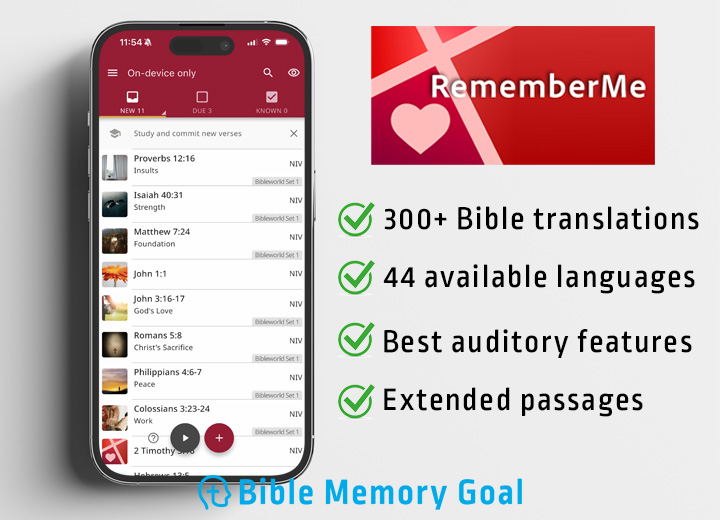
If you are searching for the most versatile and multilingual tool, Remember Me might be the best Bible memory app for you. It boasts an incredible library of over 300 Bible translations in 44 languages.
Note: You can even memorize in the original Greek and Hebrew!
Remember Me uses a retention-focused design based on the classic flashcard/Leitner box metaphor, ensuring that difficult verses get the attention they need.
One of its standout features is the ability to record your own voice reciting a verse so you can play it back to self-check, which is fantastic for auditory learners. The mobile app is fully functional offline, ad-free, and open-source.
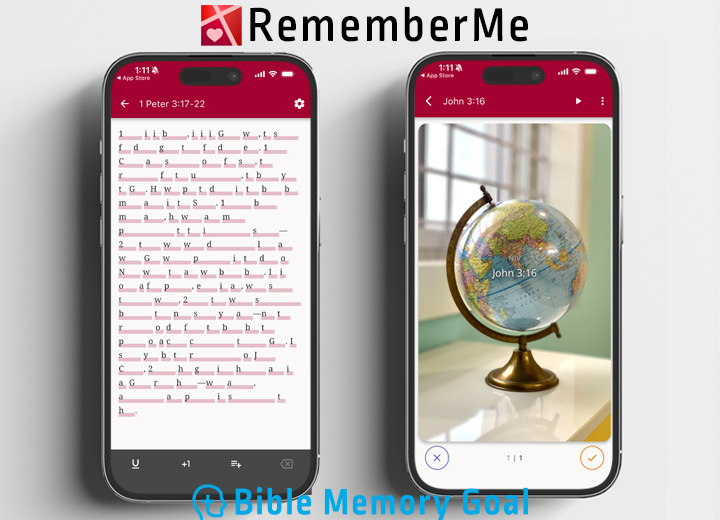
There are multiple “games” that you can use to review a verse or passage including a blur-out game, a first-letter game (as seen in the screenshot above), a “choose the next word” game, and a type-it-out game.
As your progress in your review, you can use the simple flashcard method to go through each verse. It’s fast, it’s intuitive and it’s very effective!
Key RememberMe Features
Translations
Over 300 translations in 40+ different languages (too many to list)
Free & Open Source
The entire app is free and available as open source.
Review Games
Record audio, play text games or use flashcards to review.
Reminders
Set the app to send a notification reminder to review!
If you’re memorizing in a language other than English, or if you memorize Bible verses in different translations, RememberMe offers the very best support for what you’ll need.

Try RememberMe
Available for use on the web, iOS devices, Google Play and even as an APK download.
MemLok – Best Visual Memory App
4.6/5 on Apple’s App Store (100+ reviews)
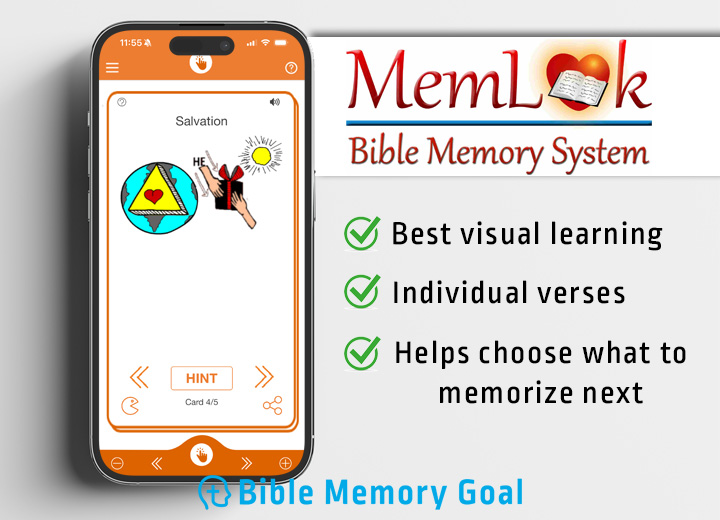
MemLok takes a completely different approach to Scripture memorization by focusing heavily on visual learning. The app provides visual hints and image associations to help prompt your memory for individual verses, something referred to as “mnemonics”.
If you are someone who struggles with rote repetition, “a little sugar makes the medicine go down,” and MemLok’s picture-based system is proven to dramatically increase retention.
You can choose from 700 stock verses, browse by 72 different topics, or create your own custom cards using your own images. MemLok operates on a one-time fee rather than a subscription, ensuring you get free updates for life, and the KJV version is available completely for free.
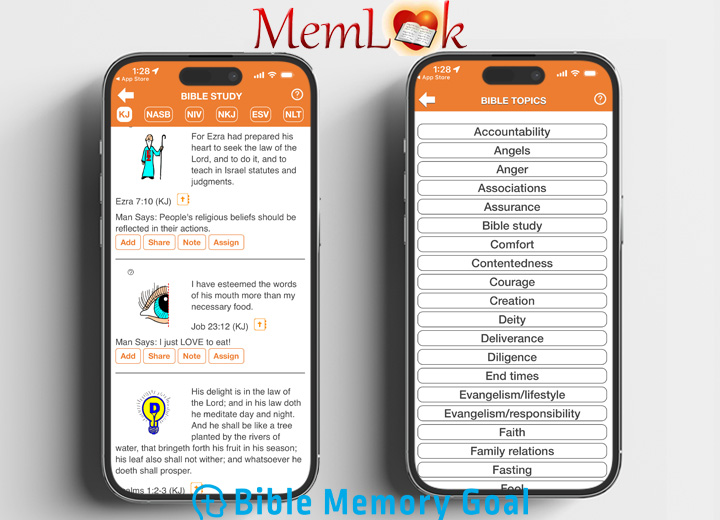
In addition to all of the memorization features, the app offers of 40+ different Bible reading plans as well as 70 short devotionals.
Key MemLok Features
Translations
KJV (free), ESV, NKJV, NASB, NIV
Web App
Switch between mobile device and a web application
6 Memory Games
Review with first letter typing, word puzzles, and more.
Pre-Made Visuals
Over 700 stock verses with custom images.
If you memorize individual verses and thrive on visual learning, MemLok is going to be an excellent app option for you. It’s free if you use the King James Version and paid for all other translations.

Try MemLok
Available for iOS & Android.
VerseLocker App
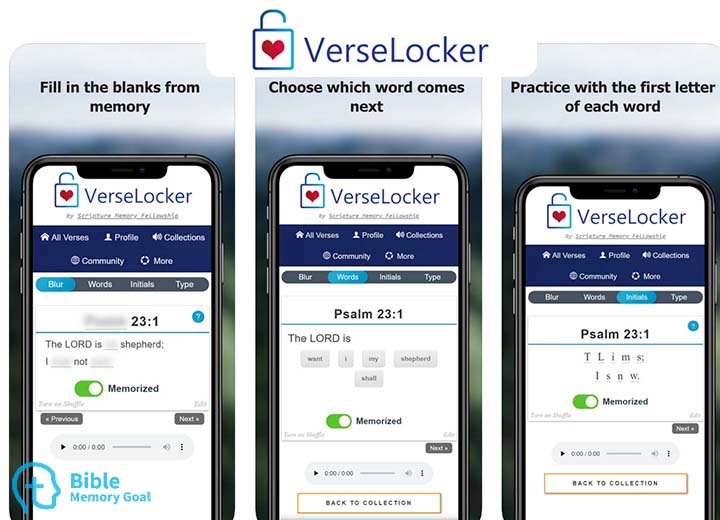
Developed by Scripture Memory Fellowship, VerseLocker is a 100% free app packed with unique features. As with all of these apps, you choose your Bible verses and then review them with different available games.
The most remarkable feature of VerseLocker, though, is its ability to generate printable resources; you can easily download your verses as printable verse cards, audio files, or Excel sheets directly to your email.
VerseLocker also includes a “Bible Tracker” to help you monitor your yearly Bible reading, as well as an active community tab.
Note: It is worth noting that VerseLocker functions more like a web app, meaning it requires a stable internet connection to work properly, it won’t function on airplane mode and its speed is dependent on the speed of your network.
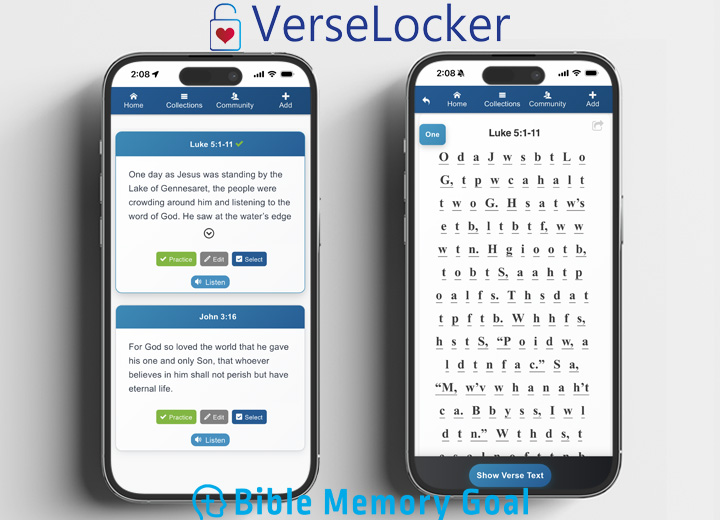
If you’re a fan of the first letter Bible memory review method, you’ll appreciate the option to turn any verse or passage into a page of first letters (as seen in the screenshot above). Clicking on any of the letters will give you a hint for that particular word, which is helpful!
Key VerseLocker Features
Translations
KJV, NKJV, ESV, NIV, NLT, NASB, LSB, LEB, CSB, HCSB, EHV, GEN, BSB, NET, NRSV, AMPC
Community
Join Abide, the monthly virtual meeting to recite Scripture.
Multiple Languages
Available for English, Spanish, German, Russian, French, Indonesian, Dutch, Chinese and Ukranian.
Bible Tracker
Track both your Bible memorization AND reading!
VerseLocker is best for users that want to memorize individual verses and has the added bonus of creating printable resources. Best of all, it’s completely free!

Try VerseLocker
All translations and languages are completely free!
Fighter Verses App
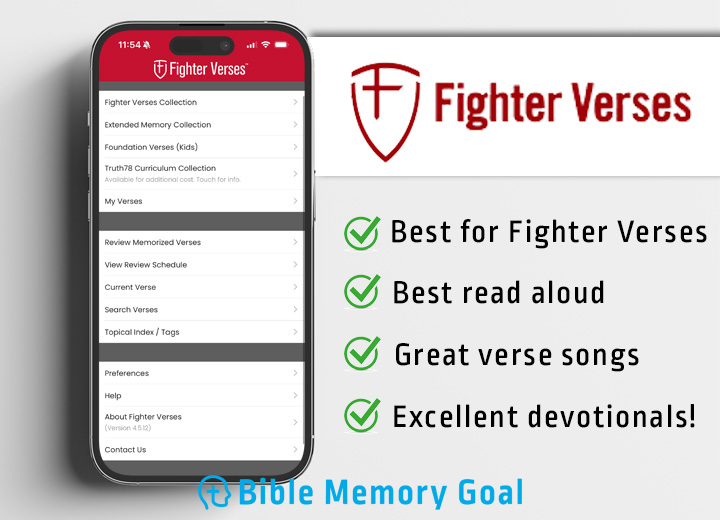
Created by Desiring God ministries, the Fighter Verses app is built around a curated list of 260 passages designed to be memorized over five years. If you need direction on what to memorize next, this is a great resource.
Although it’s not the most visually appealing app, it really shines with its audio features. While most apps rely on robotic, AI-generated voices to read verses aloud, Fighter Verses features actual human beings reading the text.
Furthermore, the app includes custom songs sung by kids for many of the passages, making it an incredible resource for families.
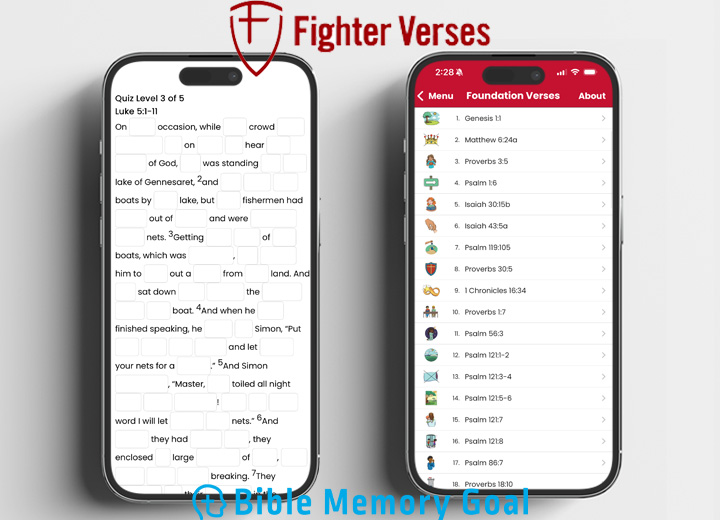
It also integrates perfectly with a free weekly devotional blog and offers a variety of quizzes to help you learn. The app is free to use, though a few translations (like the NIV) cost a nominal fee of $0.99.
Key Fighter Verses Features
Translations
ESV, NIV, NASB, CSB, HCSB, KJV, SG21, LBLA, LB2017, RVR, NKJV
Kid-Friendly
Follow the “Foundation Verses” for kids, each with songs!
Multiple Languages
English, Spanish, French & German
Devotionals
Read excellent devotionals that are provided each week.
Fighter Verses is an app designed specifically for those who are going through the Fighter list of verses. While it is possible to add your own verses (such as a verse list about friendship), the setup is a bit more difficult and the features aren’t as robust.

Try Fighter Verses
Available for iOS & Android.
Versify Bible Memory App
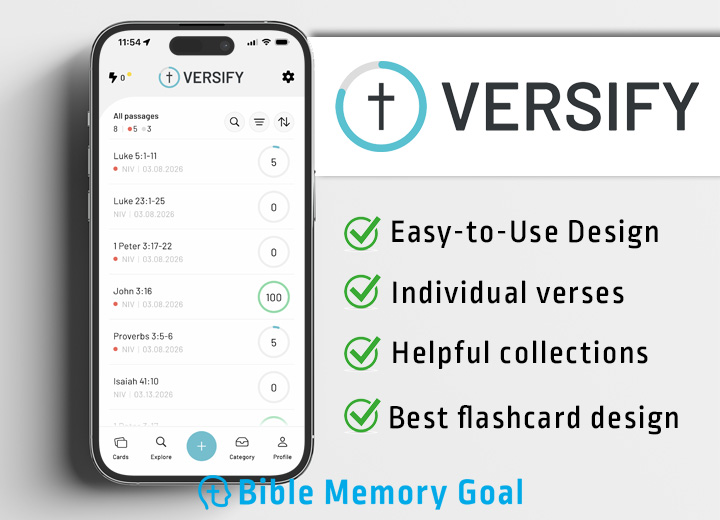
If you want an app that is entirely free, ad-free, and requires absolutely no sign-up or login, Versify is the perfect choice. Built with a clean and modern design, it is incredibly simple to use, making it ideal for those who aren’t very tech-savvy.
Versify is excellent for learning individual verses, and it includes an “explore page” with hand-picked verses by topic to help you decide what to memorize next. While it currently doesn’t sync across devices, I’m told there are plans to add optional online accounts in 2026.

Try Versify App
It’s free to use and one of the simplest designs on this list.
Verses App (iOS only)
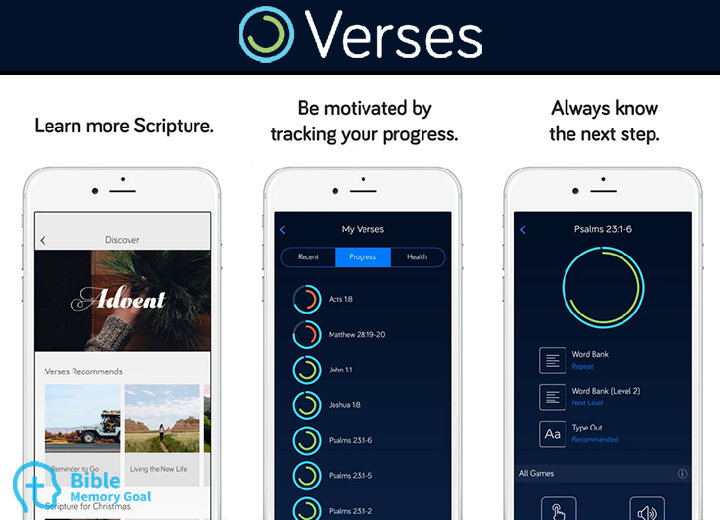
The Verses app offers one of the best user experiences and designs on the market. It is particularly well-suited for users who enjoy interactive learning. The app features a popular “tap to reveal” game that allows you to tap your screen to uncover the verse one phrase at a time, which is highly effective for memorizing longer passages.
VERSES includes several other games, such as reordering words, typing, and a word bank. While the app is free to download, accessing the full library of Bible translations requires a basic subscription of $4.99 a year, and a pro version for $9.99 a year unlocks additional resources like creeds, catechisms, and group features.
One of the downsides of this app is that it is only available on Apple iOS devices and not on any other platform, making it only accessible to some people.

Try Verses App
Currently only available for iOS, but soon to be released for Android users.
Should You Use Bible Memory Apps?
Finding the best Bible memory app can give you a massive advantage by automating spaced repetition, organizing your verses, and keeping you motivated through gamification.
However, it is highly encouraged that you use technology as just one tool in your memorization process, not the only thing you use.
Tying all of your memory work to a screen can sometimes hinder the natural learning process. The tactile actions of writing a verse out on a physical note card, marking up the pages of your physical Bible, and engaging your other senses are proven ways to help you memorize Scripture faster and more deeply.
Let these fantastic apps support your journey, but don’t be afraid to put the phone down and open your physical Bible to truly hide God’s Word in your heart!




Leave a Reply